Sonifex DMC
Discovery, Monitoring & Control Software V1.6
Sonifex Discovery & Control Software represents a major step forward in how our products integrate and perform in your critical environments. Available as a free download, this powerful application enables you to easily discover, monitor, and control Sonifex Dante and RAVENNA devices across your network.
Sonifex DMC
Discovery, Monitoring & Control Software V1.6
At a Glance
The Discovery, Monitor & Control software (v1.6) provides a centralised way to discover, monitor, and manage Sonifex equipment across your network. Featuring automatic device discovery, real-time status visualisation, talkback functionality, and intelligent notifications, enables you to instantly understand your system’s health, identify potential issues, and maintain smooth operation. This tool reinforces Sonifex’s focus on reliability and seamless system performance, helping you trust that your entire Sonifex setup is working exactly as intended. Offering this software at no cost reflects our commitment to ensuring our hardware performs optimally and helps you feel more connected to your Sonifex ecosystem.
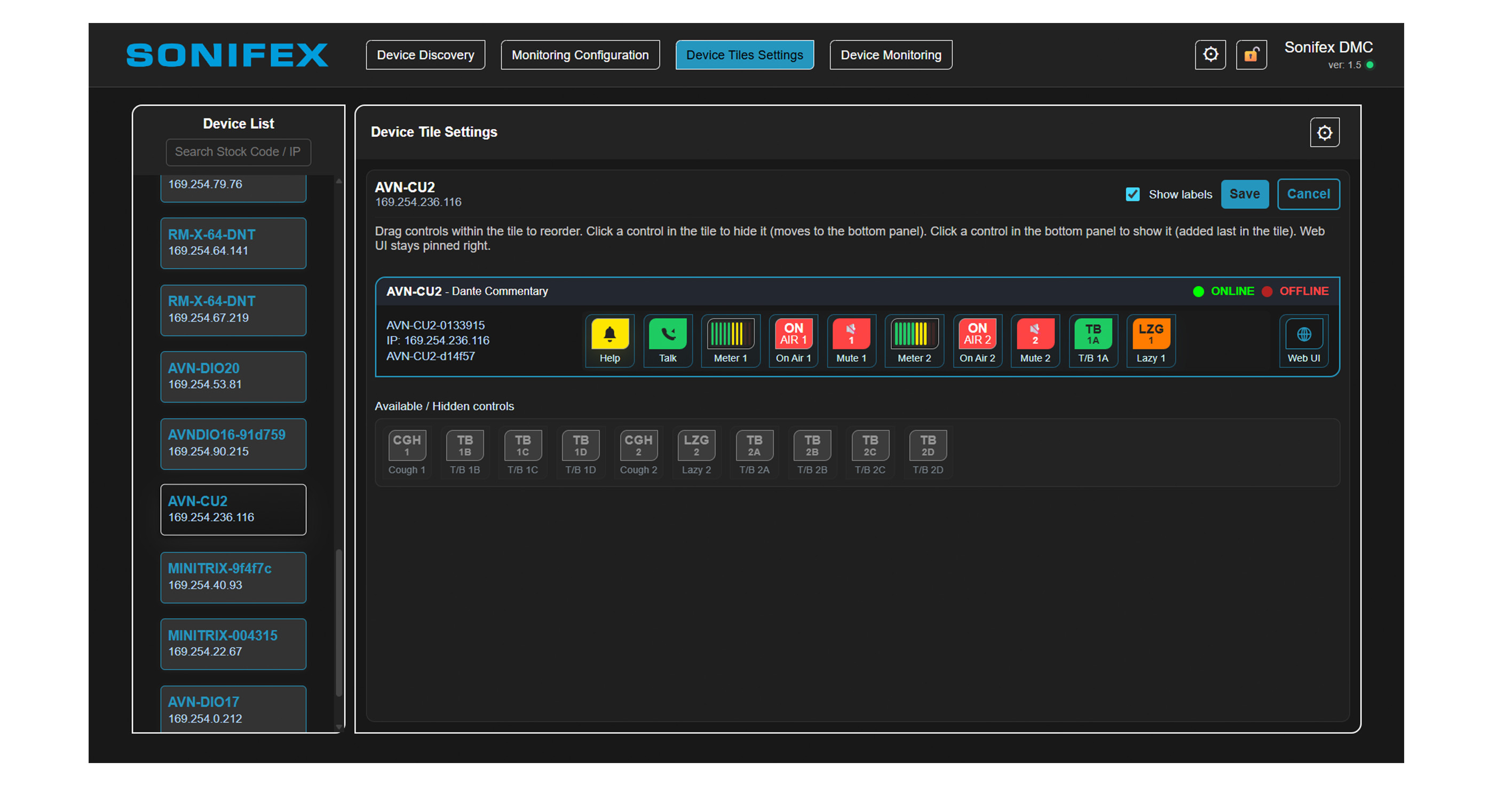
All Sonifex AoIP units are supported by the Sonifex Discovery, Monitor & Control software, with each model featuring its own set of controls tailored to its specific functions. These controls, referred to as “device tiles,” are developed for each product and can include functions such as status, metering, or other relevant features. Device tiles can be customised as needed, enabled or disabled, and rearranged to suit your preferences.
Device Discovery in More Detail
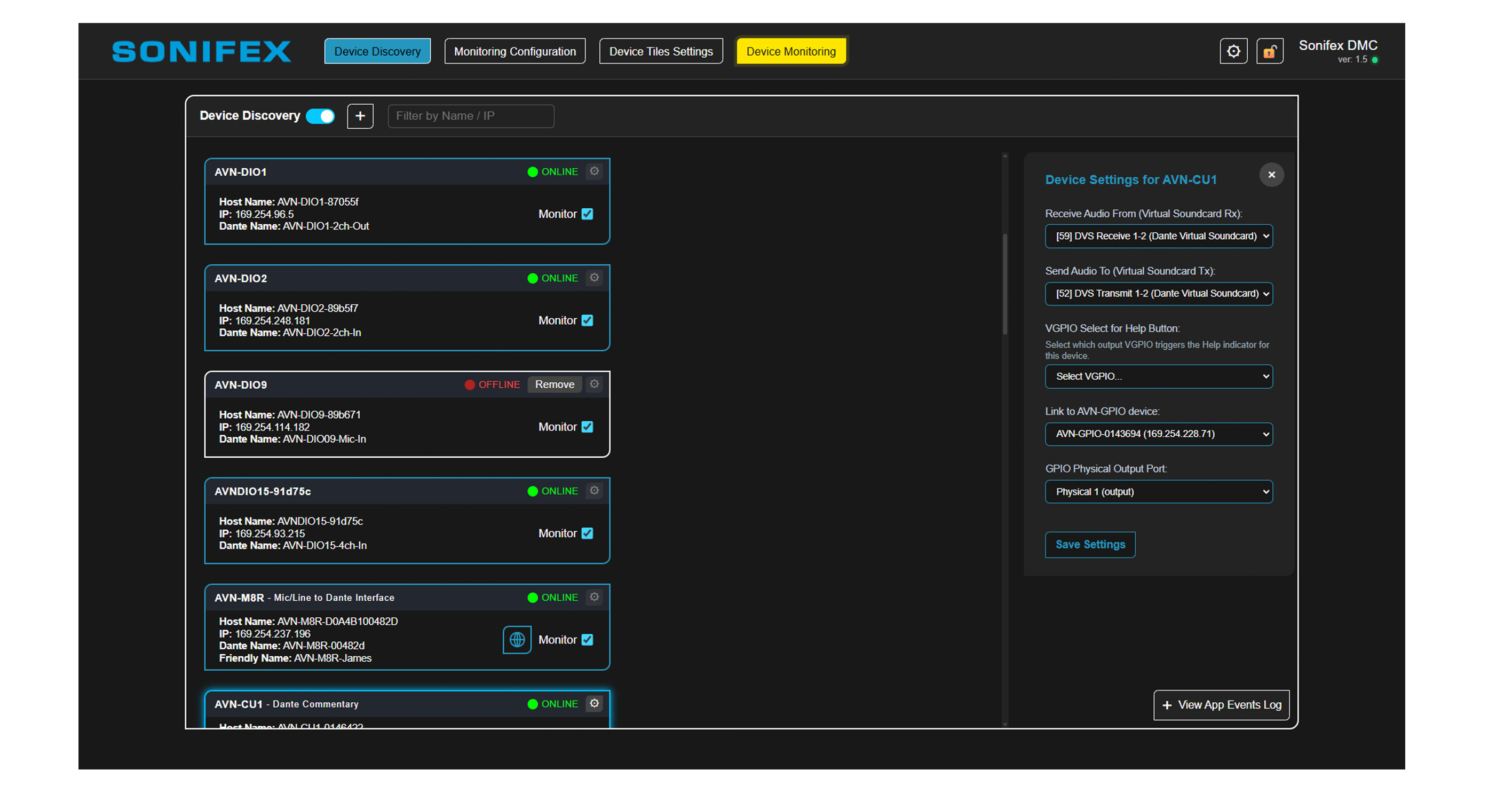
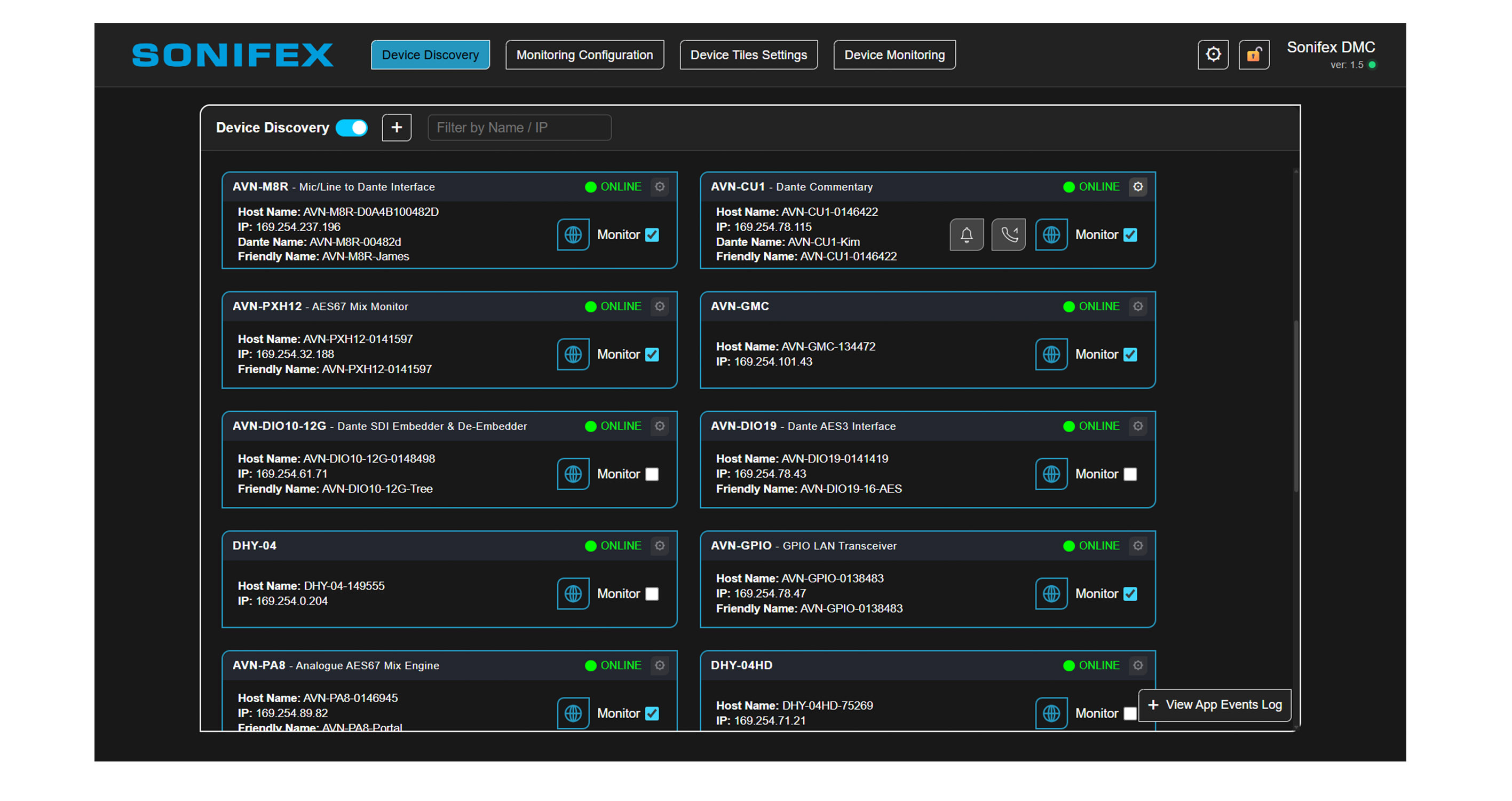
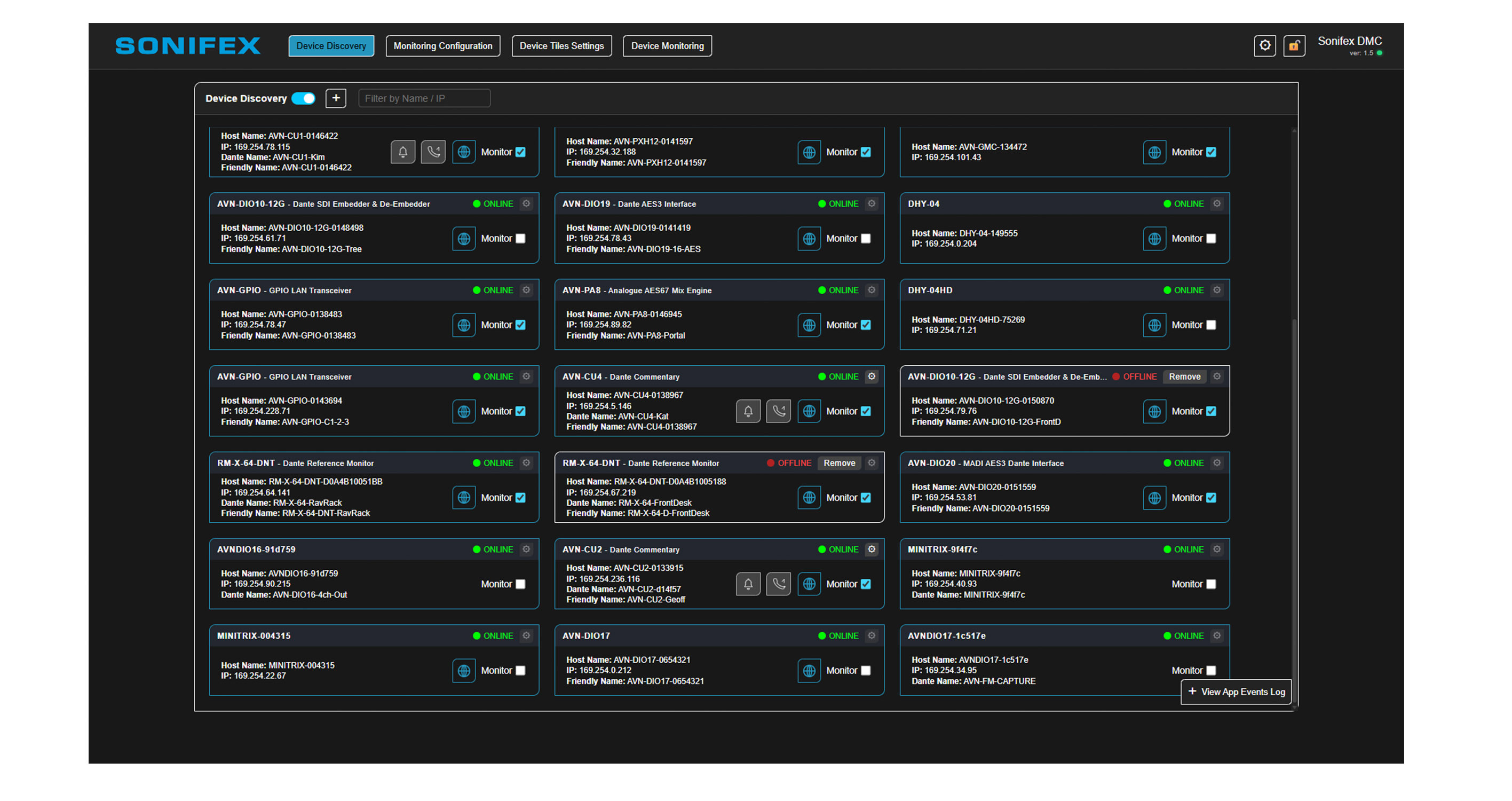
The Device Discovery screen automatically detects your Sonifex products across the network, providing a clear overview of connected devices and their current status. From this screen, you can quickly identify each product by its Device ID, Host Name, IP Address, Dante Name, and Friendly Name. The interface also indicates whether a device has been configured for monitoring, alongside a clear online/offline status display for rapid system assessment. Additional indicators provide instant visibility of:
-
Product-specific* notifications/alerts.
-
Talkback/call functionality for supported products*.
A search and filter function allows you to quickly locate devices by any available field, making navigation simple even within large or complex installations.
Monitoring Configuration
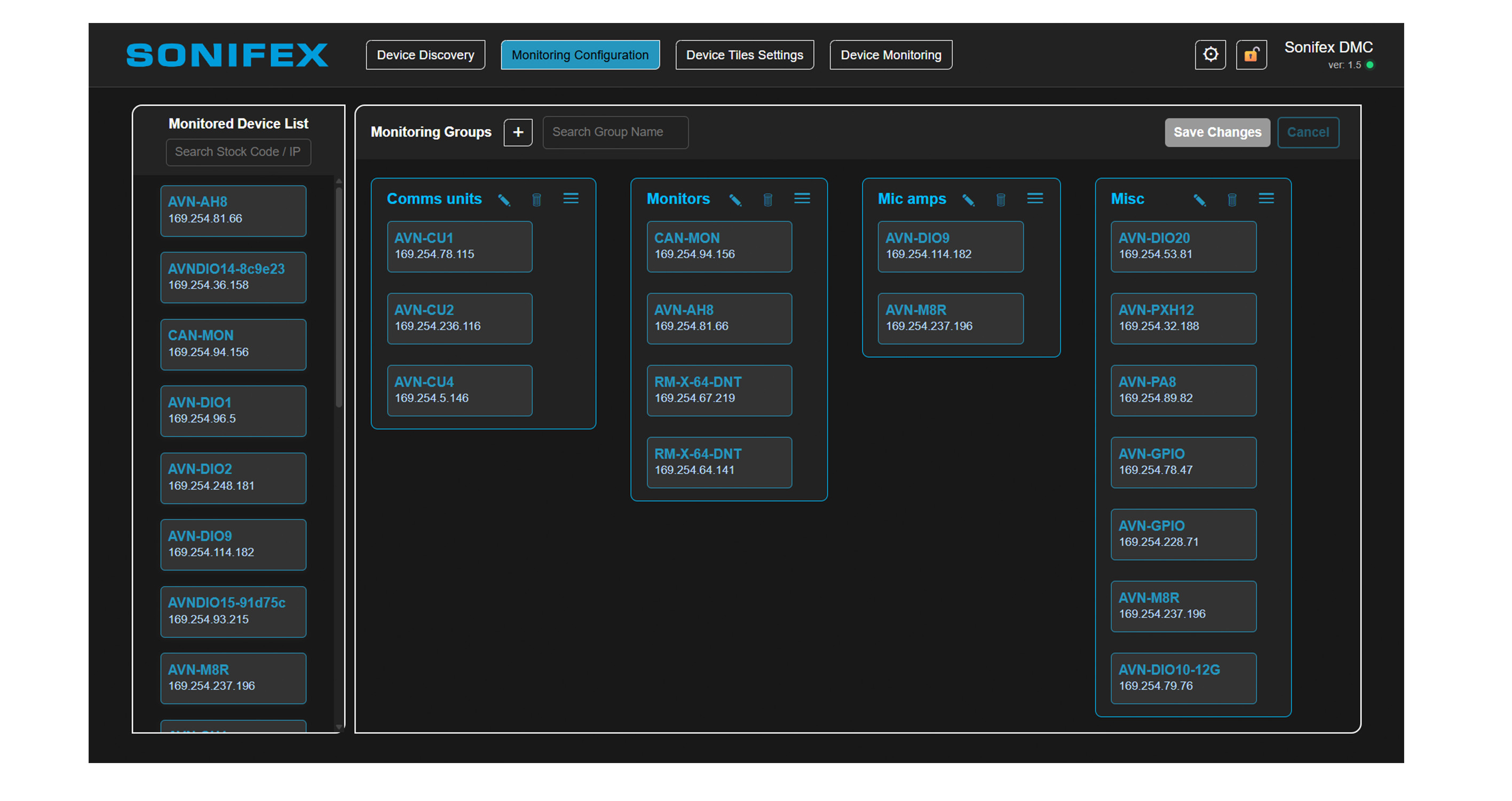
The Monitoring Configuration screen displays a dedicated Monitored Device List, containing all products selected for active monitoring. From here, you can create custom monitoring groups to organise your system into logical areas or operational zones. Devices can then be assigned to groups using simple drag-and-drop functionality, enabling fast and intuitive system configuration.
Device Monitoring
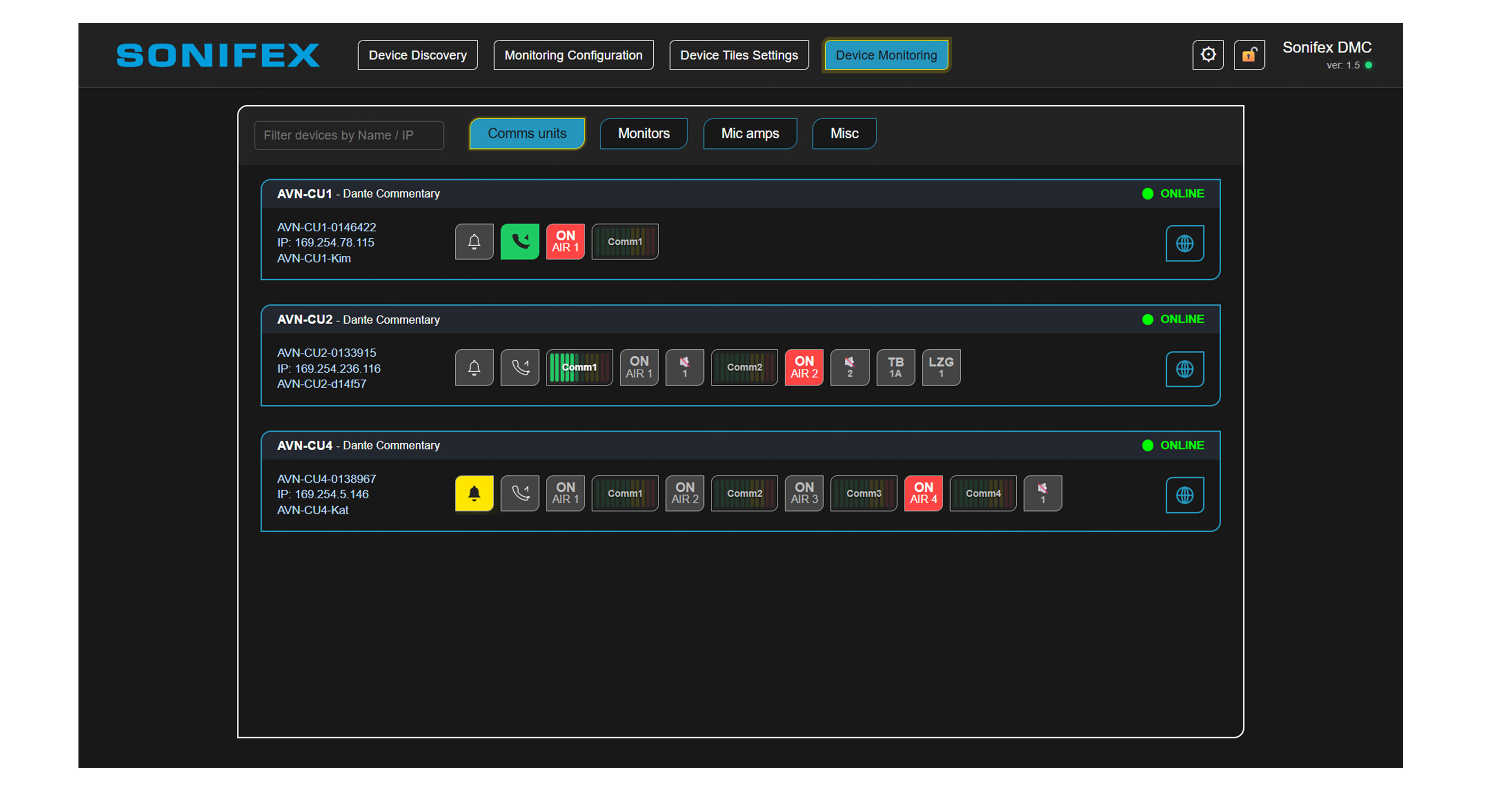
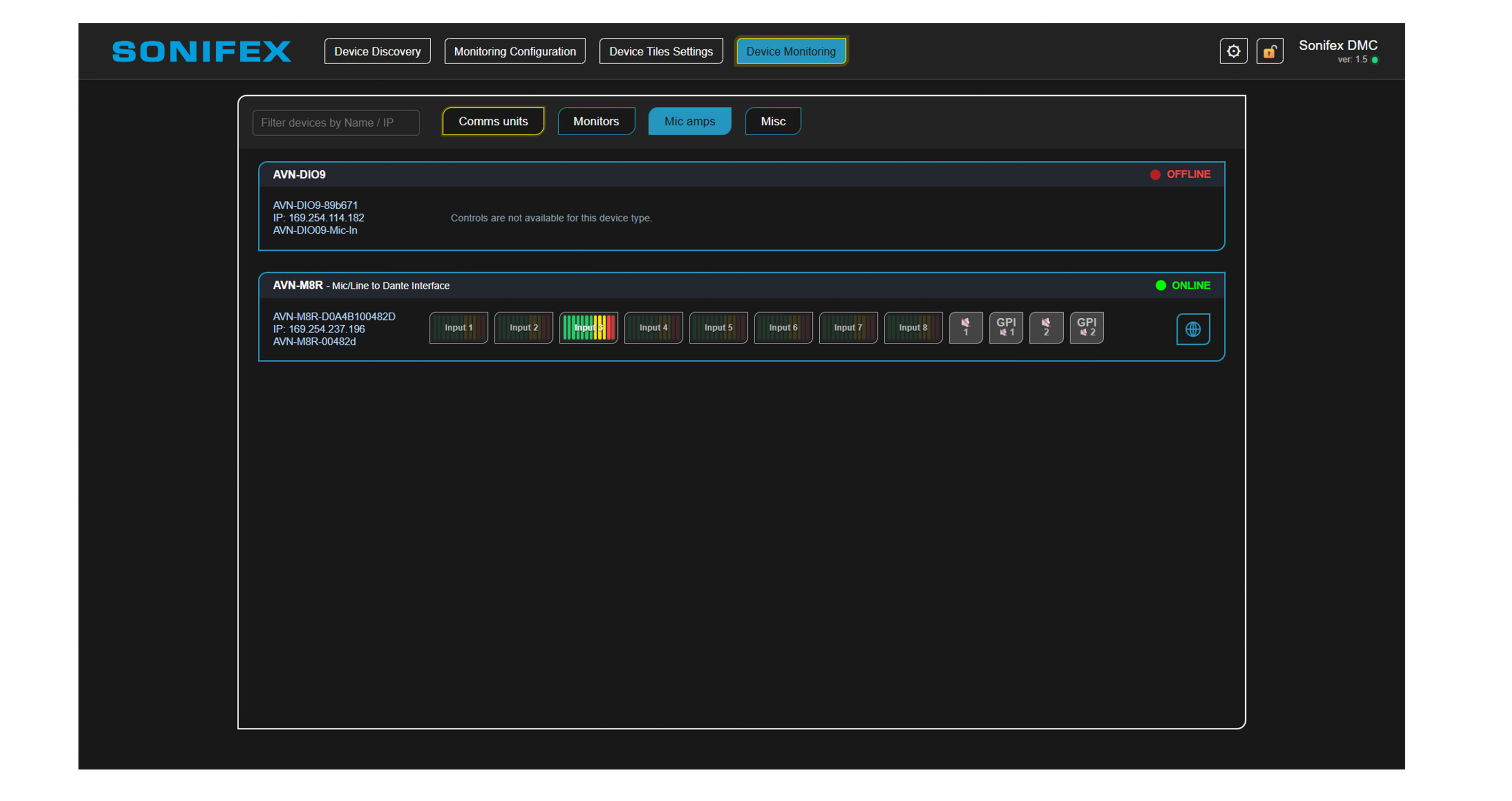
The Device Monitoring screen provides a real-time operational overview of all monitored devices. Users can easily switch between multiple monitoring groups, allowing different areas of the system to be segmented for simplified supervision and control. Each device is represented by a factory-defined monitoring tile, carefully designed to present the most relevant information for that product type. Depending on the device, this may include:
-
Audio metering
-
“On Air” / “Live” status indicators
-
Power status
-
Audio presence detection
-
Additional operational and health monitoring data
This curated approach ensures that critical information is always visible at a glance.
Talkback & GPIO Integration
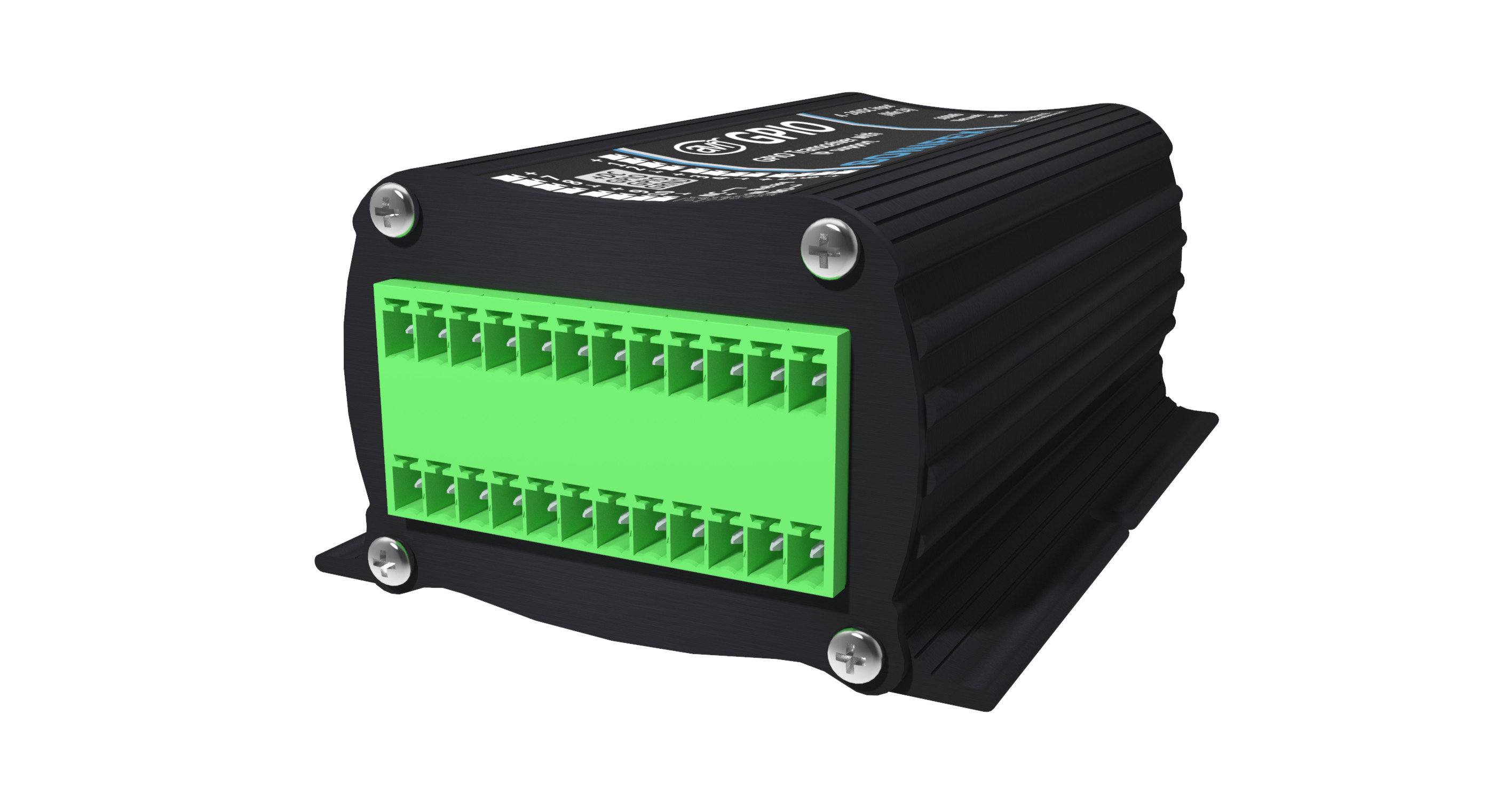
Integrated Talkback functionality enables direct communication with compatible devices* anywhere on the network. Users can select a microphone connected to the host PC and route audio directly to the target device, creating an instant communication path. This functionality is ideal for centralised control environments, allowing a single DMC operator to monitor, manage, and communicate with multiple devices from one location. The software also features seamless integration with the Sonifex AVN-GPIO, enabling notifications and device events to trigger physical GPIO actions via a virtual GPIO from Sonifex DMC. This allows multiple communication methods to be used simultaneously, including:
-
Warning lights
-
Audible announcements
-
External sounders
-
Custom GPIO-triggered actions
The result is a highly flexible monitoring and control environment designed for professional broadcast and AV workflows.
* Coming soon, the Product/Device Tile Matrix table
For download, please scroll to the Firmware section.
Product Features
A central hub for all Sonifex equipment.
Automatic device discovery on the network (HTTP + Dante/networked audio).
Health monitoring with automatic online/offline detection and notifications. Enhancing visibility and user control.
Custom monitoring groups for logical areas or operational zones, (drag-and-drop, rename, reorder).
Real-time monitoring dashboard with live status updates.
On-Air indication and audio metering per device/channel, (product dependent*).
One-click Talk & Listen to communicate with connected units, (product dependent*).
Help/Call indicator with synchronised UI alerts.
AVN-GPIO integration (Ember+) to drive physical outputs from Help states.
Intelligent Windows notifications to flag issues.
Persistent configuration (devices, groups, settings remembered after restart).
Built-in event logging for fast troubleshooting.
Reinforces Sonifex’s focus on reliability and seamless operation.
Provided at no cost.
Supports a more connected and dependable Sonifex ecosystem.
Typical Applications
Product Category
Sonifex DMC (Discovery, Monitor & Control)TECHNICAL SPECIFICATIONS
System Architecture | |
|---|---|
| 32-bit / 64-bit requirements | 64-bit Windows |
Software & System Requirements | |
| Supported Windows versions | Windows 10 64-bit, version 22H2 or later |
Web Browsers | |
| Supports | Microsoft Edge |
| Google Chrome | |
| Mozilla Firefox | |
SUPPORT
| DMC Quick Guide | [Download] | |
| DMC Handbook v1.6 | [Download] |
Brochures
| Click to visit the brochures page. |
Declarations
| Click to visit the declarations page. |
| Sonifex DMC Software | Version | 1.6 | Date | 29/09/2026 | [Download] |
| AVN-DMC Release notes | [Download] |