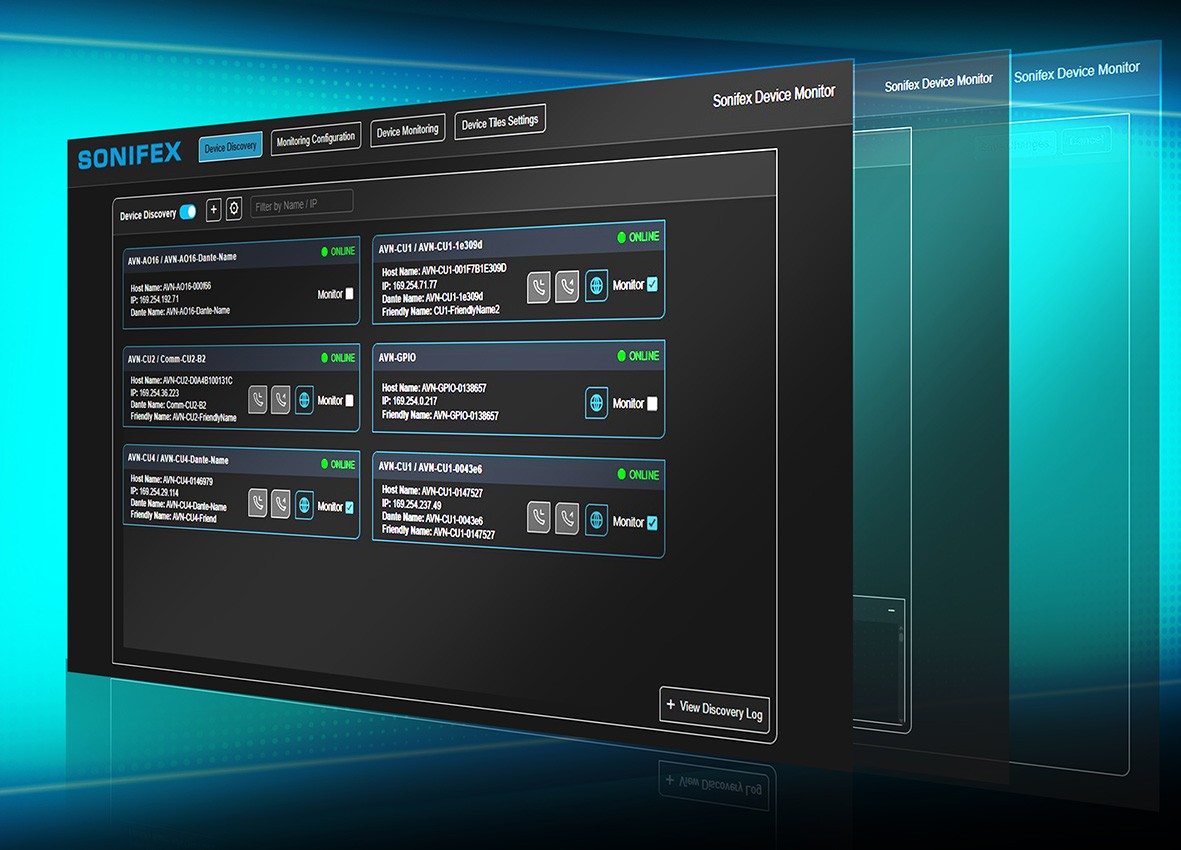
Four connected workflows help simplify the
supervision and management of Sonifex devices
across professional audio networks.
01 / DISCOVERY
Find Devices Automatically
Automatically identify Sonifex devices on
the network and view information including
Device ID, Host Name, IP Address, Dante Name
and Friendly Name. Search and filter devices,
check their online/offline status and identify
supported alerts or call indications.
02 / CONFIGURATION
Build Your Monitoring Workspace
Select the equipment you want to monitor,
create custom groups for different studios
or operational zones and organise devices
using drag-and-drop controls. Rearrange and
personalise the workspace around the way
your facility operates.
03 / MONITORING
See What's Happening in Real Time
View live operational information through
product-specific monitoring tiles. Depending
on the connected device, these may display
audio metering, On Air status, power status,
audio presence and other health information.
04 / COMMUNICATION
Talk, Listen and Respond
Use talkback with compatible devices from
a microphone connected to the host PC.
Supported Help/Call events and AVN-GPIO
integration can also connect software
notifications with external warning lights,
sounders and other GPIO-driven actions.